 Ultimate Image Optimizer
Compress and optimize images without uploading them.
UIO is a Chrome extension that compresses, converts, and resizes images right in your browser. Your files never leave your device, and there is no waiting on uploads or downloads.
Free to start. $10 once for lifetime Premium.
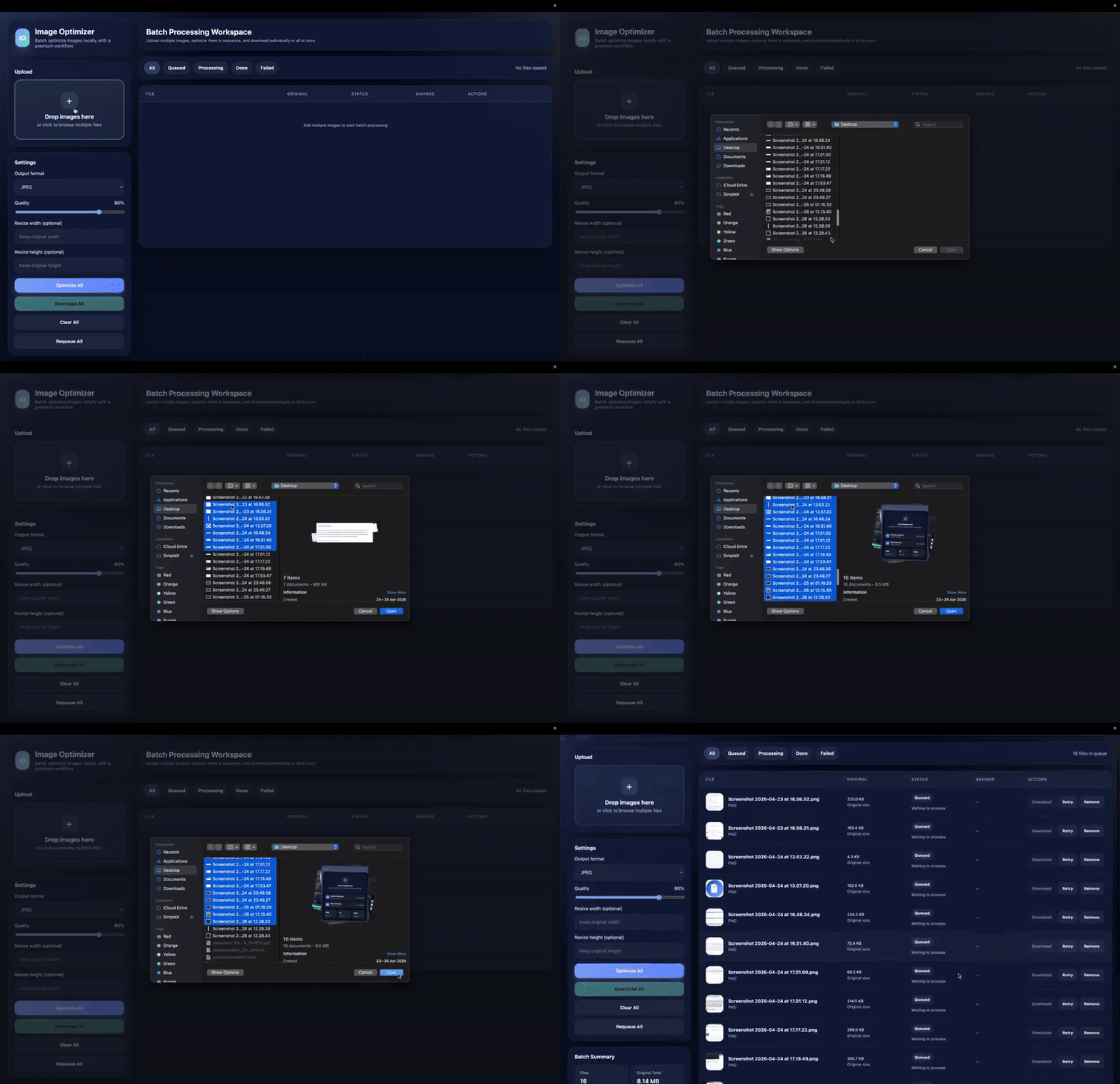
How it works
Three steps, all inside your browser.
Select your images
Drop in a folder of images or add them one at a time.
Optimize locally
Choose a format, adjust quality, or set a target size. UIO does the work on your device.
Download and use
Save the results to your project. Nothing was ever sent to a server.
Everything you need to prepare website images
Built around the parts of image prep that eat up time.
Compression
Reduce file size with an adjustable quality slider.
Format conversion
Convert between JPEG, PNG, WebP, and AVIF, or let Auto pick the best-compression format.
Resizing
Set a new width and height, or leave the original size in place.
Bulk processing
Queue up a batch and optimize every file in one pass.
Local browser processing
Everything runs on your device. No files are uploaded to optimize them.
Responsive images
Create a set of responsive image outputs without doing it by hand. (Premium)
Target-size optimization
Set the file size you need, and optimize toward that target. (Premium)
Saved workflows
Save a setup once and reuse it on your next batch. (Premium)
No uploads. No waiting. Just optimize.
Most image tools ask you to upload your files to a server, wait, then download the result. UIO skips that. Your images stay on your device, and your workflow stays fast.
- Your files never leave your device
- No upload wait, no download wait
- Works directly inside Chrome
- Built for repeat, bulk image work
Built for web professionals
UIO is made for freelance web developers and designers who regularly prepare images for websites. If you keep opening the same online compressor for a new batch of files, this is that step, moved into your browser and made repeatable.
Free vs Premium
Start free. Upgrade once, if UIO becomes part of your workflow.
Free
$0Enough to optimize a real project.
- Batch optimize up to 10 images at once
- Compress, convert, and resize locally
- Auto best-compression format
- Adjustable quality control
Premium
$10$10 once. Lifetime access. For people who optimize images regularly.
- Everything in Free
- Responsive Image Maker
- Save Your Workflow
- Target-Size Optimization
Frequently asked questions
Do my images get uploaded anywhere?
No. UIO processes images locally in your browser. Your files never leave your device.
What file formats does UIO support?
UIO works with JPEG, PNG, WebP, and AVIF. You can convert between these formats or compress the one you already have.
Can I optimize more than one image at a time?
Yes. The Free plan lets you batch optimize up to 10 images at once. UIO is built for bulk work.
What do I get with Premium?
Premium is $10, once, for lifetime access. It adds the Responsive Image Maker, saved workflows, and target-size optimization on top of everything in Free.
Stop uploading images just to compress them.
Install UIO and optimize your next batch right in your browser.
Install Free